
PATHS
FPP/CPU
REGISTER
System Configuration
Configure the peripherals attached to the PDP‑11. Structural changes are committed with the "Apply" button, which restarts the machine so the emulated hardware matches the configuration. Others apply immediately.
Storage
Manage storage media: load a paper tape, import disk or tape images by drag & drop, and unmount mounted images.
name.ptap from the media directory. Dropped
.ptap files also appear here. Rewind restarts the tape.
yaPDP — Yet Another PDP‑11/70 Emulator
About This Project
This is a PDP‑11/70 emulator that just works out of the box — no plugins, no downloads, no configuration. Just run it and you're standing in front of a DEC minicomputer.
| Version | |
| Website | https://github.com/amesk/yaPDP |
| Manual | online user manual |
| Author | Alexei Eskenazi <alexei.eskenazi@gmail.com> |
| License | MIT — see LICENSE |
What makes it special
| Feature | Description |
|---|---|
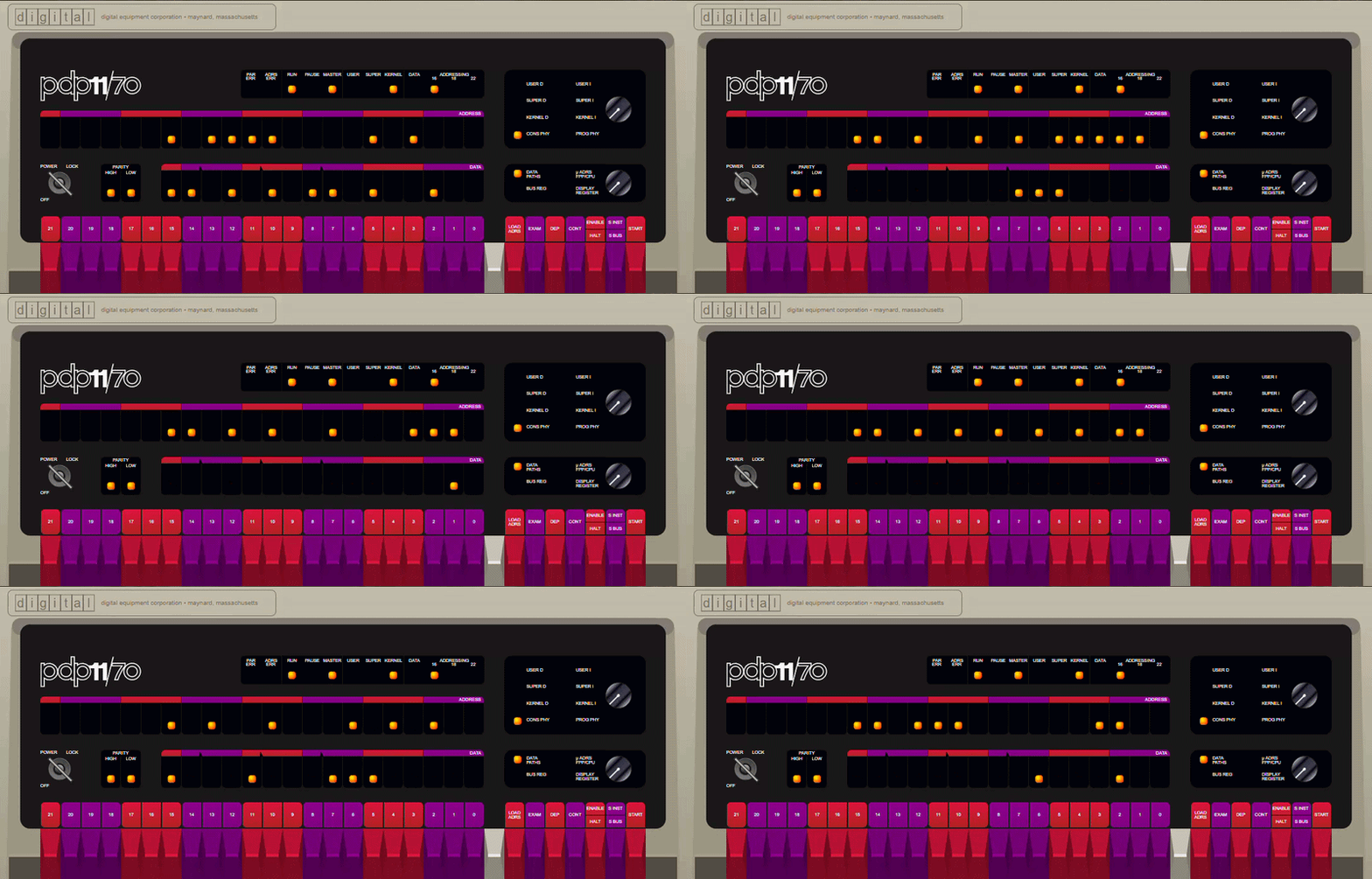
| Authentic Front Panel | Every switch, LED, and rotary knob faithfully recreated. Toggle in a bootstrap loader the way DEC engineers did in the 1970s. |
| Model 33 ASR Teletype | A fully animated Google60-style teletype connected as the operator console — complete with paper printing, keypunch sounds, and line-feed whirs. |
| Authentic LP11 Line Printer | A faithful recreation of the DEC line printer that stood beside real PDP‑11s — beige/grey cabinet, fanfold paper, ON LINE lamp and TOP OF FORM / PAPER FEED controls, printing at a near‑authentic ~300 lines/min. The accumulated job can be handed to your real printer via the system dialog (Print) or exported as a .txt file — hardcopy, just as it left the machine room. |
| VT52 Terminal | A DECscope VT52 terminal (TT1:) rendered on canvas, for guest OSes that prefer video terminals. |
| VT11 Display | An optional DEC VT11 vector-graphics display processor on its own green-phosphor CRT page, enabled from the CONFIG page. |
| Bootable Media & Quick Boot | Boot Unix V5, BSD 2.9 & 2.11, ULTRIX-11, RSX-11M (3.2 & 4.6), RSTS/E (4B-17 through 10.1), RT-11 and XXDP diagnostics — fifteen bootable disk and tape images, plus the paper-tape reader for the self-building bootstrap and for programs like BASIC-11 and Lunar Lander. |
| Persistent Disk Images | All disk and tape images are preloaded. Changes to disk contents persist in browser storage across sessions. |
| Paper Tape Reader | Load BASIC‑11, ODT‑11, ED‑11, or Lunar Lander from simulated paper tape. |
Quick Start
In a hurry? Use the magic wand button pinned to the top-right corner of the Panel page — it does it all in one click: picks a guest OS, reconfigures the machine, reboots it, and types the boot (and login) for you. The manual walk-through below follows the same route.
- Open the PDP‑11/70 emulator.
- At the
@prompt, typeboot rp1and press ENTER. - BSD 2.11 will autoboot into multiuser mode. Login as
root(no password). - Try
ls,ps -aux,df— or compile a C program withcc.
Switching pages
Use the sidebar to switch between:
- Panel — the front panel with switches and LEDs
- Teletype — the Model 33 ASR teletype console
- VT52 — the DECscope VT52 video terminal
- Display — the VT11 vector-graphics CRT terminal (shown only when configured)
- Info — detailed instructions and OS reference
A simple light chaser
Toggle this into the front panel to see the address and data LEDs dance:
Address  Data    Code        Switch commands
                            HALT, 001000, LOAD ADDRESS
001000   012700  mov #1,r0   012700, DEPOSIT
001002   000001              000001, DEPOSIT
001004   006100  rol r0      006100, DEPOSIT
001006   000005  reset       000005, DEPOSIT
001010   000775  br .-4      000775, DEPOSIT
                            001000, LOAD ADDRESS, ENABLE, START
Restart the bootloader
HALT, 120000, LOAD ADDRESS, ENABLE, START
Guest Operating Systems
The emulator ships with ready-to-boot disk and tape images. Just type boot
at the @ prompt.
| Disk | Operating System | How to Boot |
|---|---|---|
| RK0 | Unix V5 | boot rk0 → unix → login as root |
| RK1 | RT‑11 v4.0 | BOOT RK1 |
| RK2 | RSTS V06C‑03 | BOOT RK2 — login 11,70 password PDP |
| RK3 | XXDP (diagnostics) | BOOT RK3 |
| RK4 | RT‑11 3B Distribution | BOOT RK4 |
| TM0 | RSTS 4B‑17 (tape) | BOOT TM0 — follow ROLLIN restore procedure |
| RL0 | BSD 2.9 | boot rl0 → rl(0,0)rlunix → CTRL/D → login root |
| RL1 | RSX‑11M v3.2 | BOOT RL1 — login 1,2 password SYSTEM |
| RL2 | RSTS/E v7.0 | BOOT RL2 — login 11,70 password PDP |
| RL3 | XXDP (extended) | BOOT RL3 |
| RP0 | ULTRIX‑11 V3.1 | boot rp0 → CTRL/D → login root |
| RP1 | BSD 2.11 | boot rp1 — autoboots to multiuser, login root |
| RP2 | RSTS/E v9.6 | BOOT RP2 — answer prompts, login 11,70 |
| RP3 | RSX‑11M v4.6 | BOOT RP3 — auto-logs 1,2 SYSTEM |
| RP4 | RSTS/E v10.1 | BOOT RP4 — answer prompts, login 11,70 |
Example boot of Unix V5
Boot> boot rk0
@unix

login: root
# who
root    tty8 Mar 21 12:09
# cat /etc/passwd
root::0:1::/:
daemon::1:1::/bin:
bin::3:1::/bin:
# cat > hello.c
main()
{
    printf("Hello world\n");
}
^D
# cc hello.c
# a.out
Hello world
#
Acknowledgments
This project stands on the shoulders of giants.
Paul Nankervis — Original PDP‑11 Emulator
Paul wrote the original pdp11-js emulator, which this repository is forked from. His meticulous work — cycle‑accurate CPU emulation, beautifully rendered front panels, and a meticulously curated collection of vintage operating systems — made this project possible.
"I met my core objective — I can now see the RSTS/E console light pattern that I was looking for."
— Paul Nankervis
Norbert Landsteiner (mass:werk) — Google60 Teletype
The Model 33 ASR teletype emulation is adapted from Google60 by Norbert Landsteiner of mass:werk. Google60 is a brilliant simulation of the Google search interface as it would have appeared on a Model 33 ASR Teletype in the 1960s/1970s. Norbert's meticulous implementation — from the 3D keycaps to the paper advance animation and authentic sound effects — brings the teletype to life.
Additional Sources
- Bitsavers — DEC PDP‑11 documentation archive
- Bitsavers Software — PDP‑11 software and disk images
- The Unix Heritage Society (TUHS) — Preserving UNIX history
- RSTS.ORG — RSTS/E community and software preservation
Links
| Resource | URL |
|---|---|
| Original pdp11-js | https://github.com/paulnank/pdp11-js/ |
| Google60 (mass:werk) | https://www.masswerk.at/google60/ |
| mass:werk | https://www.masswerk.at/ |
| Bitsavers (docs) | http://bitsavers.org/pdf/dec/pdp11/ |
| Bitsavers (software) | http://bitsavers.org/bits/DEC/pdp11/ |
| TUHS | https://www.tuhs.org/ |
Happy emulating!
— Alexei Eskenazi amesk<alexei.eskenazi@gmail.com>
— Created and maintained with love for the DEC era